What is MapCrunch?
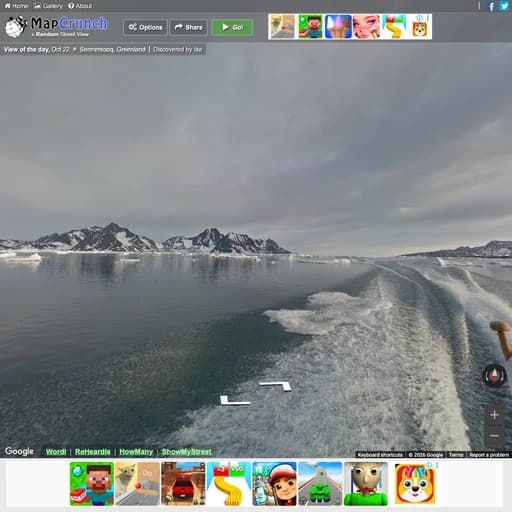
MapCrunch is a random Street View generator. Press Go and it teleports you to a random point on the globe where Google Street View imagery exists, from a Greenland fjord to a back road in Lesotho.
It is a simple way to explore the world from your chair, and many people use it as a home-made guessing game by hiding the address and working out where they are. Interesting finds can be shared, and the site features a view of the day.
Main Features
- One click teleports you to a random Street View location
- Filter by continent or specific countries
- Options for urban areas, indoor views and stealth mode (hide the location)
- Slideshow mode that keeps moving to new places
- Share links to locations you find
- Daily featured view and a gallery of user finds
How to Get Started with MapCrunch
- Open mapcrunch.com.
- Press Go to jump to a random location.
- Use the options to pick countries or turn on stealth mode to hide the address.
- Look around in Street View and press Go again for the next spot.
MapCrunch Pricing
MapCrunch is free with ads and needs no account.
Who Should Use It?
- Armchair travellers
- People practising for location guessing games
- Teachers showing students different parts of the world
- Anyone who wants a few minutes of calm exploring
MapCrunch Alternatives
- WorldGuessr: Street View guessing game
- Virtual Vacation: walk and drive around cities
- Wonders of Street View: curated amazing Street View spots
Frequently Asked Questions
Is MapCrunch free?
Yes. MapCrunch is free to use with ads and needs no sign-up.
Can I hide the location in MapCrunch?
Yes. Turn on stealth mode in the options to hide the address, so you can guess where you are.
Can I choose which countries MapCrunch shows?
Yes. You can limit the random views to particular continents or countries in the options.