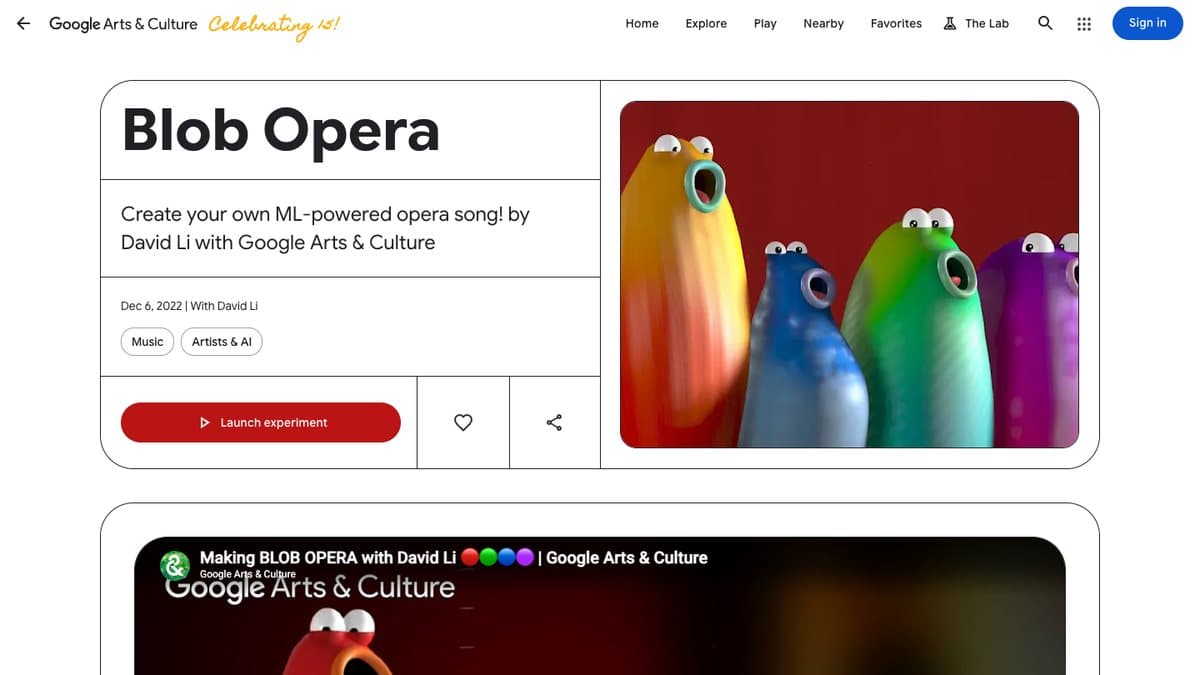
What is Blob Opera?
Blob Opera is a machine learning music toy by artist David Li, made with Google Arts & Culture and released in December 2020. Four round blobs stand on a stage, bass, tenor, mezzo-soprano and soprano. Drag one up or down to change its pitch, forward or back to change its vowel, and the other three harmonise around it.
The voices are not samples. A model was trained on 16 hours of singing by tenor Christian Joel, bass Frederick Tong, mezzo-soprano Joanna Gamble and soprano Olivia Doutney, so what you hear is the model's idea of opera singing. It launched just before Christmas and spread worldwide across social media and the press, helped by a festive mode and the blobs' very expressive faces.
What You Can Do
- Drag blobs to change pitch and vowel sounds
- Hear the other voices harmonise with you in real time
- Record your performance and share a link
- Make all four voices sing together with one hand
How to Play Blob Opera
- Open Blob Opera on Google Arts & Culture.
- Click and drag any blob up or down to make it sing.
- Move it forward and back to change the vowel.
- Press record to save and share your piece.
Is Blob Opera Free?
Blob Opera is a free Google Arts & Culture experiment with no account or payment needed.
Who Will Enjoy It?
- Anyone who wants to make music with zero training
- Kids who will love the blobs' faces
- Music teachers introducing harmony
- People curious about AI and sound
Websites Like Blob Opera
- Paint With Music: Another Google Arts & Culture toy that turns your gestures into instruments.
- Chrome Music Lab: A set of simple music toys that are just as easy to start.
- A.I. Duet: Play a few notes and an AI answers, a different kind of duet.
Frequently Asked Questions
Is Blob Opera free?
Yes. It is a free Google Arts & Culture experiment that runs in your browser.
Are the Blob Opera voices real singers?
Not directly. A machine learning model was trained on four opera singers and generates the voices you hear.
Can I save my Blob Opera song?
Yes. You can record a performance and share it as a link.