What is Silk?
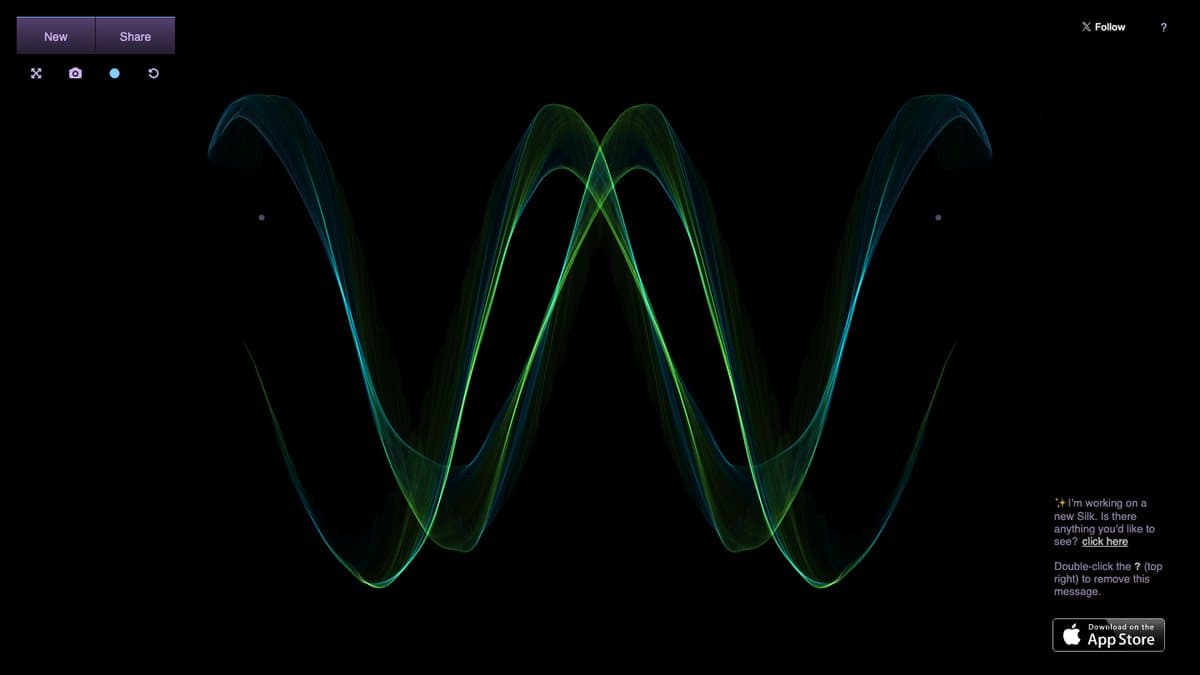
Silk is an interactive generative art toy. Click and drag across the dark screen and your stroke becomes flowing threads of light that mirror around the centre. Within seconds a simple scribble looks like a glowing flower or a strand of nebula.
It was made by Yuri Vishnevsky, with music and sound by Mat Jarvis. Vishnevsky ran a Kickstarter in early 2011 to bring Silk to tablets and phones, and Google featured it in its Chrome Experiments collection in 2012. It has stayed a regular on lists of relaxing and satisfying websites ever since, partly because there is no way to get it wrong.
What You Can Do
- Draw glowing silk patterns with your mouse or finger
- Turn mirror symmetry on or off
- Make lines spiral towards the centre
- Drag colours to blend them
- Undo, redo and go full screen
- Save your picture or share it
How to Play Silk
- Open weavesilk.com.
- Click and drag anywhere to start drawing.
- Open the controls to change colour, symmetry and spiral.
- Right-click the thumbnail and save the image when you are happy.
Is Silk Free?
Silk is free to use in your browser with no account and nothing to buy.
Who Will Enjoy It?
- Anyone who wants a few calm minutes
- Kids who like making pretty pictures quickly
- People looking for desktop wallpapers they made themselves
- Fans of generative and digital art
Websites Like Silk
- WebGL Fluid Simulation: Another soothing, colourful toy that reacts to your touch.
- Jackson Pollock by Miltos Manetas: Splatter paint instead of spinning silk.
- Patatap: Bright shapes and sounds from your keyboard.
Frequently Asked Questions
Is Silk free?
Yes. weavesilk.com is free to use with no sign-up.
Can I save what I draw in Silk?
Yes. Right-click the thumbnail and choose Save Image As, or use the share options.
Who made Silk?
Yuri Vishnevsky, with music and sound by Mat Jarvis.