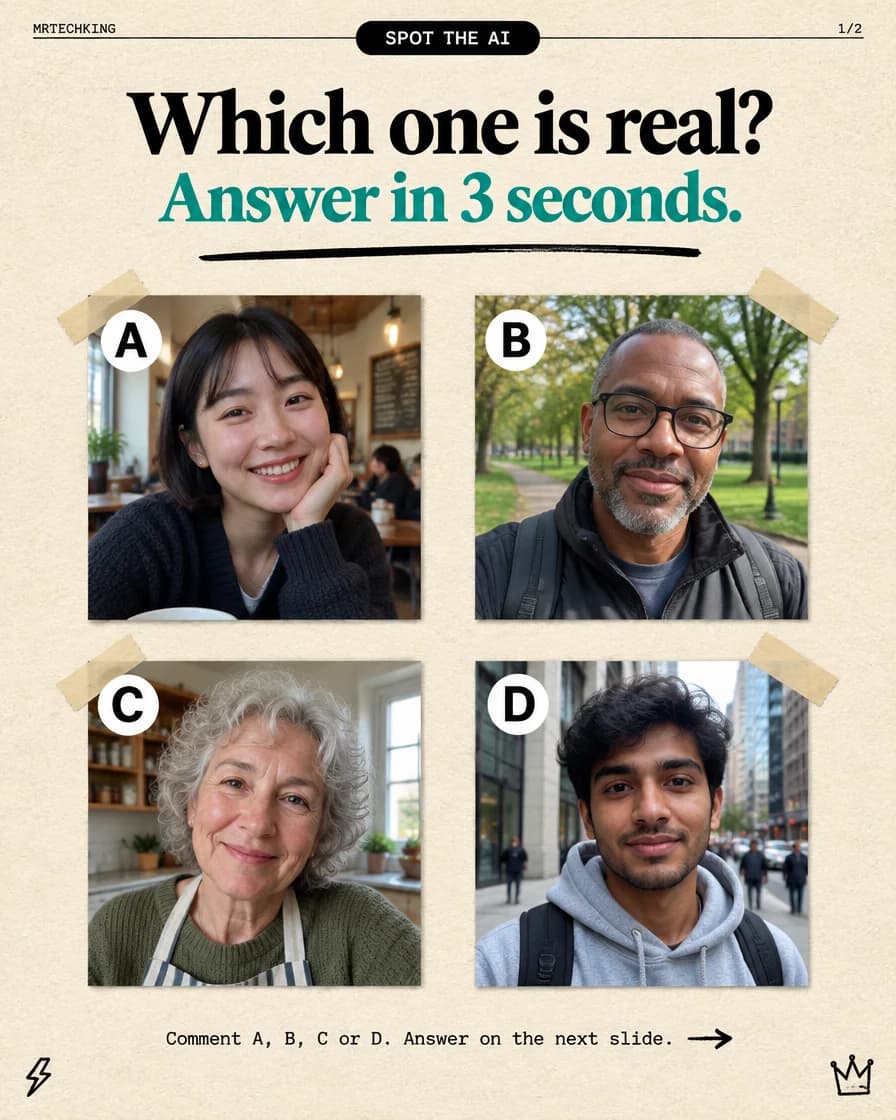
Take a look at the four photos below. A young woman in a café, a man with glasses in a park, a grandmother in her kitchen, a student on a busy street. Ordinary phone photos of ordinary people.
So which one is real? You have three seconds.
Made your pick? Keep scrolling.
The answer: none of them
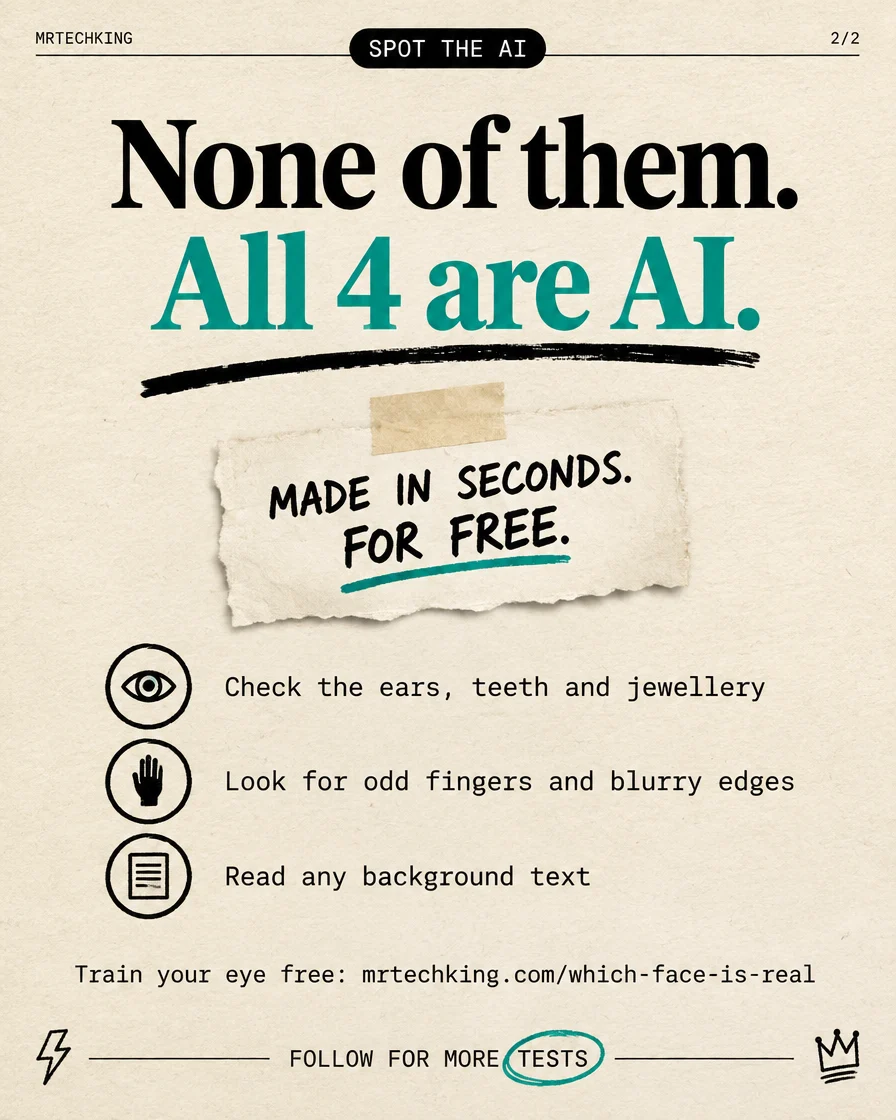
All four faces are AI-generated. Nobody took these photos. There was no café, no park and no photographer, just a few lines of text typed into a free image generator, and a few seconds of waiting.
If you picked one with confidence, you are in good company. In a 2022 study published in the journal PNAS, people asked to tell real faces from AI-generated ones scored about 48 percent, slightly worse than a coin flip, and rated the fake faces as a little more trustworthy than the real ones. The generators have improved a great deal since then.
Why AI faces are so convincing now
Early image generators left obvious marks: melted ears, extra teeth, eyes looking in two directions. Today's models have learned from enormous numbers of real photos, so they reproduce exactly what we expect a photo to look like: soft window light, a blurred background, natural skin texture, a slightly crooked selfie angle.
That is the trick. We only hunt for flaws when something feels off, and a photo that looks completely normal never sets off that alarm. These four were made to look like the pictures you scroll past a hundred times a day.
How to spot an AI face
No single check is proof, but these are the places AI still slips most often. Go back to the four photos above and try them.
1. Check the ears, teeth and jewellery
AI is very good at the middle of a face and weaker at the edges. Compare the two ears: do they match in shape and height? Do the earrings match each other? Look at the teeth for too many, too even, or teeth that blend together. Glasses are another giveaway: frames that do not line up, or lenses that do not bend the background behind them.
2. Look for odd fingers and blurry edges
Hands are still a weak spot, so any pose with a hand near the face deserves a close look. Count the fingers and check that they bend where joints should be. Then look at where hair meets the background and where shoulders meet the scenery. Smudged, painterly edges, or strands of hair that dissolve into the wall, are common.
3. Read any background text
Signs, menus, book spines, shop names, chalkboards. AI often draws letters that look like writing from a distance but turn into nonsense up close. In a café photo, read the menu board. On a street, read the shop signs.
4. Check the people and objects behind them
The background gets less attention from the model than the face. Faces in the crowd may be warped, and objects may merge into each other: a chair leg that melts into the floor, a lamp post that ends in mid-air, a bag strap that goes nowhere.
5. Compare the light and reflections
Does the light on the face come from the same direction as the light in the scene? Do both eyes show the same small reflection? Mismatched highlights in the eyes are a classic sign of a generated image.
Don't rely on your eyes alone
These tells get harder to find with every new model, and a well-made image may show none of them. When it matters, for example a dating profile, a news photo, or a stranger asking for money, check the context as well as the pixels:
- Run a reverse image search. Upload the photo to Google Lens. A real person usually leaves a trail of other photos. An AI face often has none, or turns up on several unrelated profiles.
- Try an AI image detector. Tools such as SightEngine AI Detector estimate whether an image was generated. Treat the result as a hint, not a verdict: detectors miss some fakes and wrongly flag some real photos, especially after editing or compression.
- Ask for something new. A short live video call, or a photo holding a note with today's date, is still much harder to fake on the spot than a profile picture.
- Slow down when money is involved. Fake profiles exist to make you act fast. Urgency plus a request for money or codes is a red flag, whatever the photo looks like.
Train your eye for free
The fastest way to get better is practice with instant feedback. Which Face Is Real? is a free quiz that puts a real photo next to an AI-generated face and tells you straight away whether you got it right. Five minutes of it and you will start noticing ears, edges and backgrounds without trying.
Want more tests like this? Browse our free AI tools and free fun websites, and follow @themrtechking for the next challenge.
FAQ
Can AI really make a realistic face for free?
Yes. Many free image generators can produce a photo-realistic portrait from a one-line description in a few seconds. That is why checking where a photo came from matters more than ever.
Are AI image detectors accurate?
Partly. They catch many generated images but miss some, and they sometimes flag real photos, especially edited or compressed ones. Use them together with a reverse image search and common sense.
What is the quickest thing to check?
Background text and the edges of the picture. Read any writing first, then look at ears, earrings, glasses, hands and the line where hair meets the background.