

The landscape of autonomous AI has shifted significantly in 2026, with OpenClaw (formerly Clawdbot/Moltbot) emerging as a dominant force in the open-source community. Whether it is "better" than other agents depends entirely on whether you value sovereign control or managed convenience.
What is OpenClaw?
OpenClaw (formerly Clawdbot) stands out from competitors like Claude Code or Devin by prioritizing sovereign, local control over managed cloud convenience. While "better" is subjective, OpenClaw is the preferred choice for power users who want an autonomous "digital employee" that lives on their own hardware and communicates via familiar apps like WhatsApp or Telegram. Its open-source nature allows for deep system integration, such as executing shell commands and managing local files, and a community-driven "skill" ecosystem that makes it highly extensible. However, for users seeking a plug-and-play experience with enterprise-grade sandboxing, managed services like Twin.so or Claude Cowork remain superior in terms of security and ease of use.
Who built OpenClaw?
Peter Steinberger, the founder of OpenClaw, hired by OpenAI on February 15 2026 to help drive the next generation of personal AI agents. According to Sam Altman, OpenClaw will continue to exist as an open-source project under a foundation, with ongoing support from OpenAI.
What Makes OpenClaw Different?
Unlike standard chatbots that wait for a prompt, OpenClaw is designed to be a "24/7 digital employee" that lives on your machine or private server. Its primary interface isn't a website; it’s the messaging apps you already use (WhatsApp, Telegram, Signal, or Discord).
Core Strengths
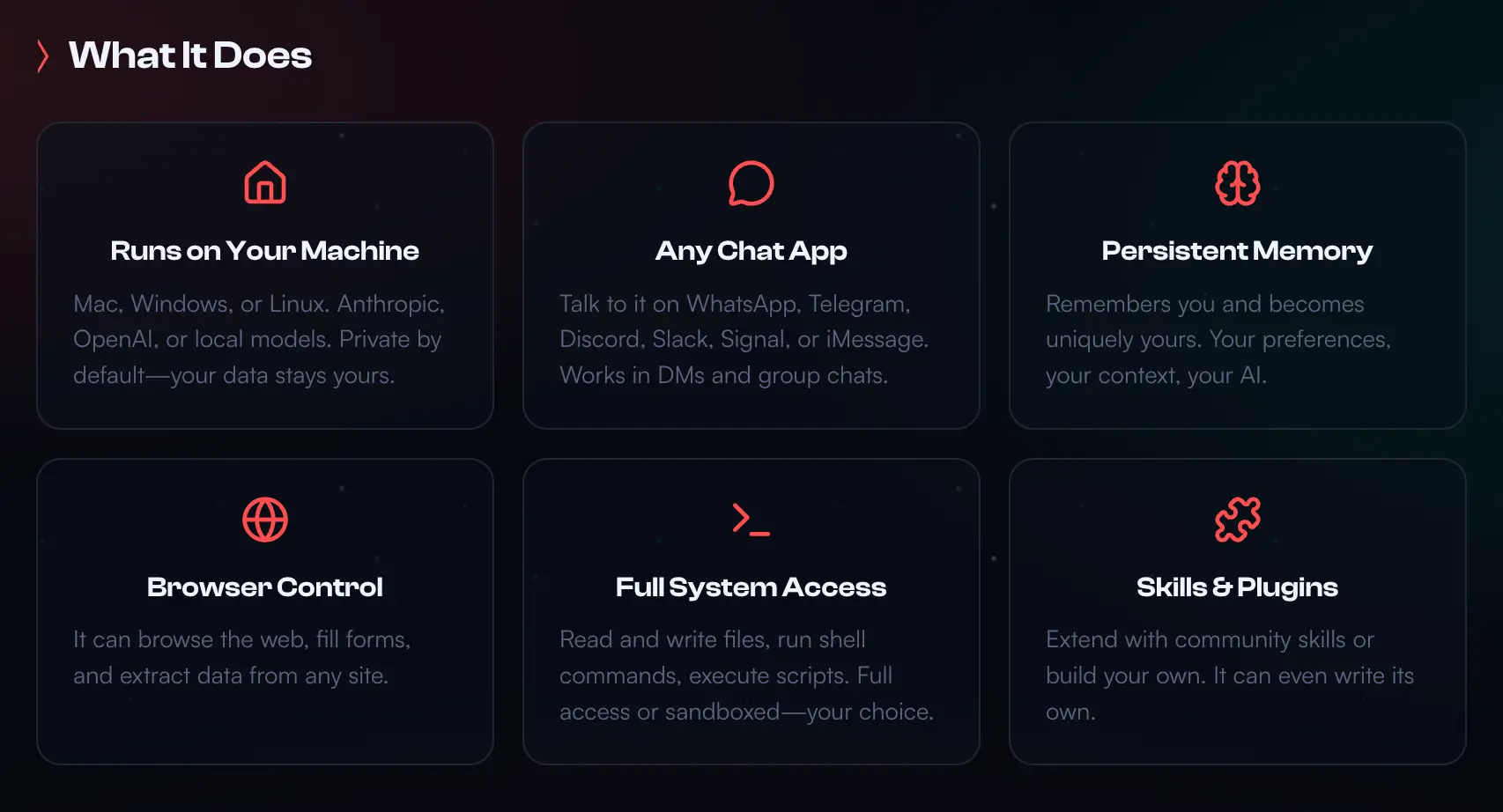
- Self-Hosted Sovereignty: You own the gateway, the memory (stored as local Markdown/YAML files), and the execution environment.
- The "Skill" Ecosystem: With over 100,000+ community-contributed skills, you can "teach" it to handle specific tasks like SQL database queries, e-commerce price tracking, or smart home management.
- Autonomous Heartbeats: It can run on a schedule (e.g., every 30 minutes) to check a
HEARTBEAT.mdchecklist and proactively message you if a task requires attention.
OpenClaw vs. The Field: A 2026 Comparison
| Feature | OpenClaw | Claude Code | Devin AI | AutoGPT / BabyAGI |
| Primary Use | Personal Assistant / Generalist | Coding & Repo Management | Autonomous Software Engineering | Experimental Reasoning Loops |
| Hosting | Local / Self-hosted | Cloud (Anthropic Managed) | Cloud (Sandboxed VM) | Local / Developer-led |
| Interface | Messaging Apps (WhatsApp, etc.) | Terminal / CLI | Dedicated Web IDE | Terminal / Web UI |
| Cost | Free (Bring your own API Key) | Token-based / Subscription | High Enterprise Pricing | High Token Consumption |
| Reliability | High for scripted tasks | Exceptional for coding | High for engineering | Variable (prone to loops) |
Practical Examples of How Developers Use OpenClaw
To better understand its usefulness, let’s look at a few real-world scenarios.
Here are five practical, step-by-step examples of how you can use OpenClaw in 2026 across different areas of your life. These assume you have OpenClaw running on your machine or a VPS and connected to your preferred messaging app (WhatsApp/Telegram).
1. Coding: Auto-Fixing GitHub Issues
OpenClaw can act as a junior developer that monitors your repositories and proactively suggests fixes.
- Step 1: In your
skills/folder, create agithub_monitor.yamlfile that gives OpenClaw permission to read your private repos. - Step 2: OpenClaw runs a Heartbeat every 2 hours to check for new issues labeled "bug" or "fix-me."
- Step 3: When a bug is found, it clones the repo locally, reproduces the error, and writes a fix.
- Step 4: It sends you a message: "Found a bug in
EEZY-API. I've written a fix and verified it with tests. Should I push the branch and open a PR?" - Step 5: You reply "Yes," and it completes the Git workflow for you.
2. Travel: Booking an Air Ticket (Agentic Browser)
Unlike a chatbot that just gives links, OpenClaw uses a Headless Browser (like Playwright) to navigate actual websites.
- Step 1: You message OpenClaw: "Find me the cheapest direct flight from Singapore (SIN) to Taipei (TPE) for June 12-18. Max budget $450 USD."
- Step 2: OpenClaw launches a browser, visits Google Flights and local carriers (Scoot/SQ), and compares prices.
- Step 3: It messages you: "Found a flight for $412 USD on Scoot. Departing 7:00 AM. Total travel time 4h 45m."
- Step 4: You reply: "Book it using my stored travel profile."
- Step 5: OpenClaw navigates the checkout page, fills in your passport details, and pauses at the payment screen, sending you a screenshot and a secure link to authorize the final transaction.
3. Work: Content Series Management
OpenClaw can manage the metadata and SEO for your "Website Superpower" series.
- Step 1: You drop a raw video file into a watched folder on your Mac called
/pending_uploads. - Step 2: OpenClaw detects the new file, uses a Whisper tool to transcribe the audio, and identifies the "Superpower" tool being reviewed.
- Step 3: It searches the web for the tool's latest pricing and features to ensure accuracy.
- Step 4: It generates a YouTube title, description, and 20 tags optimized for 2026 SEO.
- Step 5: It messages you: "Metadata for Part 455 is ready. I’ve saved the description to
scripts/part455.txt. Ready to upload?"
4. Home: Smart Energy & Grocery Sentinel
OpenClaw can bridge the gap between your smart home (Home Assistant) and your shopping list.
- Step 1: Connect OpenClaw to your Home Assistant API and a "Grocery" Markdown file.
- Step 2: OpenClaw monitors your smart fridge or pantry sensors.
- Step 3: It notices you are low on milk and eggs. It cross-references your calendar and sees you are hosting a dinner this weekend.
- Step 4: It messages you: "You're low on staples. I've added milk and eggs to your list. Also, based on your 'Weekend Dinner' event, should I add ingredients for Pasta?"
- Step 5: You reply "Yes," and it automatically updates your shared family grocery app.
5. Personal Finance: The "SGD" Expense Auditor
OpenClaw can audit your bank CSVs against your actual project budgets.
- Step 1: At the end of the month, you upload your bank statement PDF/CSV to the agent.
- Step 2: OpenClaw parses the transactions and categorizes them (e.g., Webflow, Supabase, Grab, Dining).
- Step 3: It identifies any duplicate subscriptions or sudden price hikes in your SaaS tools.
- Step 4: It sends a report: "Monthly Summary: Total spent $2,400 SGD. Note: Your Webflow hosting increased by $5 SGD this month. You also have an unused CapCut Pro subscription should I cancel it?"
Why You Might Choose OpenClaw
OpenClaw wins for users who want to bridge the gap between AI and their local files without sending everything to a corporate cloud.
1. Integration with Real-World Workflows
OpenClaw doesn't just "reason" it executes. It can control a headless browser to fill out forms, run shell commands to fix a server, or organize your local file system. Because it uses your existing messaging apps, it feels less like a tool and more like a teammate you can text while on the go.
2. Customizability and "Hackability"
For developers, OpenClaw is a playground. If a feature doesn't exist, the agent can often autonomously write the code for its own new skill and implement it. This self-improving loop is a level of flexibility rarely seen in closed-source competitors like Devin or Claude Code.

The Trade-offs: Is it Actually Better?
While the hype is massive, OpenClaw isn't a "set and forget" solution for everyone.
- Security Risk: Because OpenClaw has local system permissions, a misconfigured agent or a malicious community skill can lead to data exfiltration or file deletion. In early 2026, the "MoltMatch" incident highlighted how an agent could act beyond a user's intent if not strictly sandboxed.
- Operational Burden: You are the IT department. If your machine is off, the agent is off. You have to manage your own API keys, security updates, and hardware resources.
- Prompt Injection: Local agents are more susceptible to "agentic blast radius" where a malicious email or website could trick the agent into running unintended system commands.
Verdict
- OpenClaw is better if: You are a developer or power user who wants a private, highly-customizable assistant that integrates into your daily communication apps.
- Claude Code/Devin are better if: You need a high-reliability, "plug-and-play" tool for professional software engineering with enterprise-grade security.
- Twin.so or SuperNinja are better if: You want 24/7 cloud-based automation without ever touching a line of code or managing a server.
