

🔥 1. Have I Been Pwned
Use: Check if your data was leaked
What you can do:
👉 Enter your email to see breaches
👉 Find which sites leaked your data
👉 Decide which passwords to change immediately
👉 Set alerts for future leaks

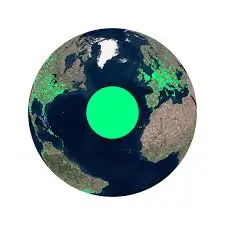
🌍 2. Radio Garden
Use: Listen to live radio worldwide
What you can do:
👉 Spin the globe and jump to any country
👉 Discover new music genres
👉 Practice languages with real broadcasts
👉 Experience local news globally
🕵️ 3. Wayback Machine
Use: Access old or deleted websites
What you can do:
👉 View past versions of any site
👉 Recover deleted pages/content
👉 Track competitors’ website changes
👉 Find old designs, prices, or articles

🧠 4. Learn Anything
Use: Structured learning paths
What you can do:
👉 Search any skill (coding, finance, etc.)
👉 Follow step-by-step learning trees
👉 Discover what to learn next
👉 Avoid wasting time on random tutorials
🧹 5. Cleanup Pictures
Use: Remove objects from images
What you can do:
👉 Erase people, text, or backgrounds
👉 Fix messy photos instantly
👉 Improve thumbnails or product images
👉 Clean up screenshots for content

📡 6. Map Genie
Use: Interactive maps with hidden info
What you can do:
👉 Find hidden items in games
👉 Track collectibles and missions
👉 Plan exploration routes
👉 Discover secrets you’d normally miss

📚 7. Class Central
Use: Discover free courses
What you can do:
👉 Browse courses from top universities
👉 Learn skills like AI, coding, business
👉 Get certificates (some free)
👉 Build knowledge without paying

🧪 8. NullFake Review Analyzer
Use: Detect fake reviews
What you can do:
👉 Paste product links (Amazon, etc.)
👉 See real vs fake rating breakdown
👉 Avoid manipulated products
👉 Make smarter buying decisions

🧾 9. Archive.ph
Use: Save webpages permanently
What you can do:
👉 Archive articles before they disappear
👉 Save proof or evidence online
👉 Access content even if removed
👉 Keep copies of important pages

🌐 10. Photopea
Use: Browser-based Photoshop
What you can do:
👉 Edit PSD, PNG, JPG files
👉 Create thumbnails and social posts
👉 Remove backgrounds and add effects
👉 Design without installing software

Final Thoughts
AI tools are no longer just for tech experts. Anyone can now:
• start online businesses
• create content faster
• automate repetitive tasks
• build websites without coding
• generate professional visuals
The biggest advantage is not just saving time - it's unlocking opportunities that were previously difficult or expensive.
If you start using just 2 - 3 tools from this list, your productivity can increase dramatically.
